Magic Messages


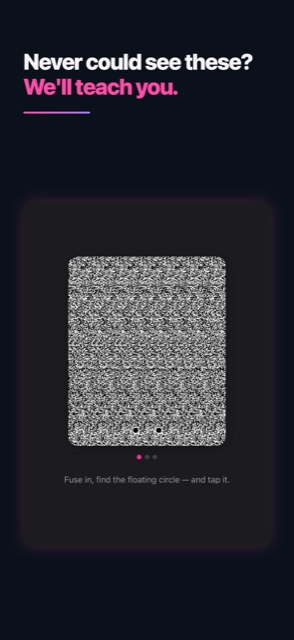
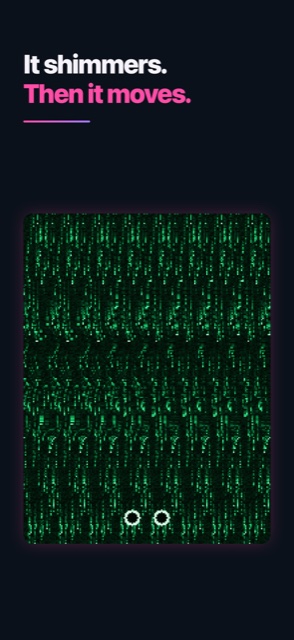
A real one, made with the app. Let your eyes relax until the two dots at the bottom drift into three — then hold. A chat bubble is hiding in there.
Show me what’s hidden

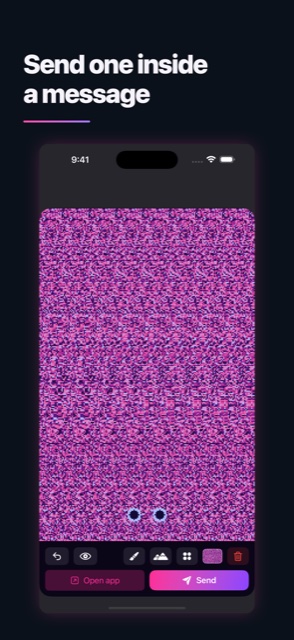
Remember Magic Eye? Magic Messages lets you make them. Draw a secret with your finger — or drop in a photo — and it disappears into a shimmering field of dots that looks like pure noise until someone relaxes their eyes and a hidden 3D shape floats up. Then send it, right inside iMessage.
What it does
- Draw with a depth-aware brush — with Apple Pencil, press harder to push a stroke nearer.
- Turn a photo into a hidden picture. Portrait and spatial shots use their real depth; anything else gets depth estimated on-device by AI.
- Send straight from Messages, as an animated shimmer that keeps moving in the conversation.
- Mirror and kaleidoscope symmetry, for patterns that come out satisfying by accident.



Can’t see it?
About one person in twenty can’t free-fuse, and plenty more just need practice. The app has a built-in coach, a Peek button that reveals the answer, a wiggle that shows the shape in motion, and a red/cyan 3D glasses mode — so nobody is left out of the joke.
Get it
Magic Messages on the App Store — free to download, for iPhone and iPad.
Magic Messages on Google Play — for Android.
Support
Questions, bugs, or something it should do? I’d genuinely like to hear it.
Email: kaolin@erif.org
I read everything and usually reply within a few days.
Privacy
Magic Messages collects nothing. No account, no sign-in, no tracking, no analytics, no ads, and no server of ours. Drawing, reading depth out of a photo, and rendering all happen on your device — including the AI, which ships inside the app and never uploads anything. The app never gets access to your photo library, and the keyboard has no keys and cannot type.
Your gallery syncs through your own private iCloud on iPhone and iPad, so it follows you between your devices — that copy goes to Apple under your Apple ID, never to us. On Android it is included in your Google account’s standard backup instead.